How to Structure a High-Converting Swipeable Portfolio
73% of propsects will scroll away from your work within 3 seconds if they can't immediately understand what you do and how to book you. Learn how to fix it!
Molly Shelestak
Author

Your portfolio is losing you clients every single day.
Here's the brutal truth: 73% of potential clients will scroll away from your work within 3 seconds if they can't immediately understand what you do and how to book you. That's not a attention span problem: that's a portfolio structure problem.
The solution? A swipeable portfolio that works like your client's favorite app. No more endless scrolling through chronological feeds. No more hunting for your best work buried on page three. Just clean, organized sections that guide viewers straight to "book now."
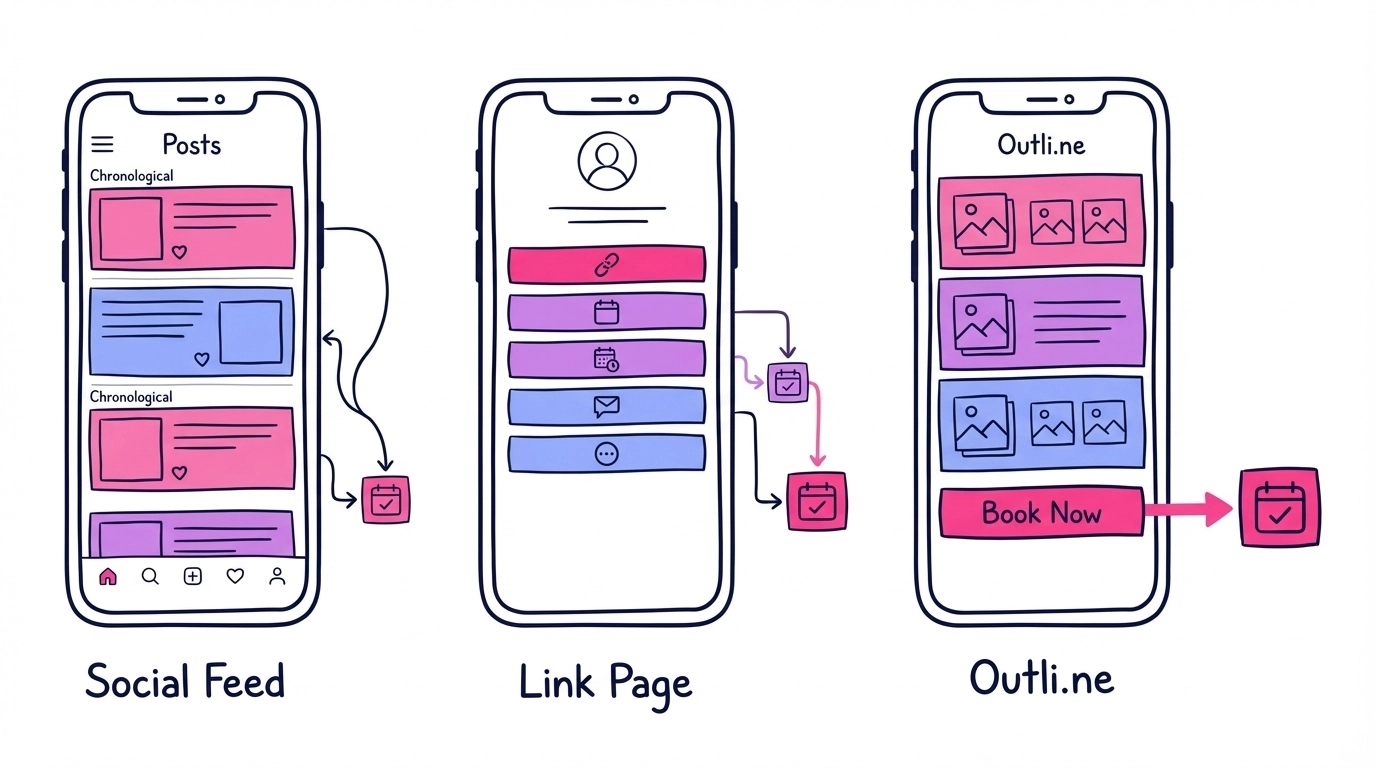
The First Swipe: Your Hook That Converts
Your opening screen is make-or-break territory. Clients decide whether to keep looking in under 3 seconds, so every element needs to work overtime.
Start with a crystal-clear headline. Skip the cute taglines. Instead, lead with exactly what you do: "I help busy executives look camera-ready in 30 minutes" or "Brand photography that books you more clients." Your headline should answer the question every potential client asks: "What's in this for me?"
Lead with your absolute best work. Not your most recent work: your best work. That jaw-dropping transformation, that stunning brand shoot, that video that made everyone stop scrolling. This isn't the time for modesty.
Keep your intro tight. Three sentences max. Who you are, what you specialize in, and why clients choose you. Save the life story for later.
The goal here isn't to tell your whole story: it's to earn the next swipe.
Specialty Sections: Organize by What Clients Actually Want
Here's where most portfolios completely fail. They organize work chronologically instead of by what clients are shopping for. Clients don't care when you shot something: they care whether you can solve their specific problem.
Break your work into clear service categories. Wedding photographer? Create separate sections for ceremony, reception, and couples portraits. Brand strategist? Split out logo design, web design, and brand guidelines. Makeup artist? Organize by bridal, editorial, and everyday looks.
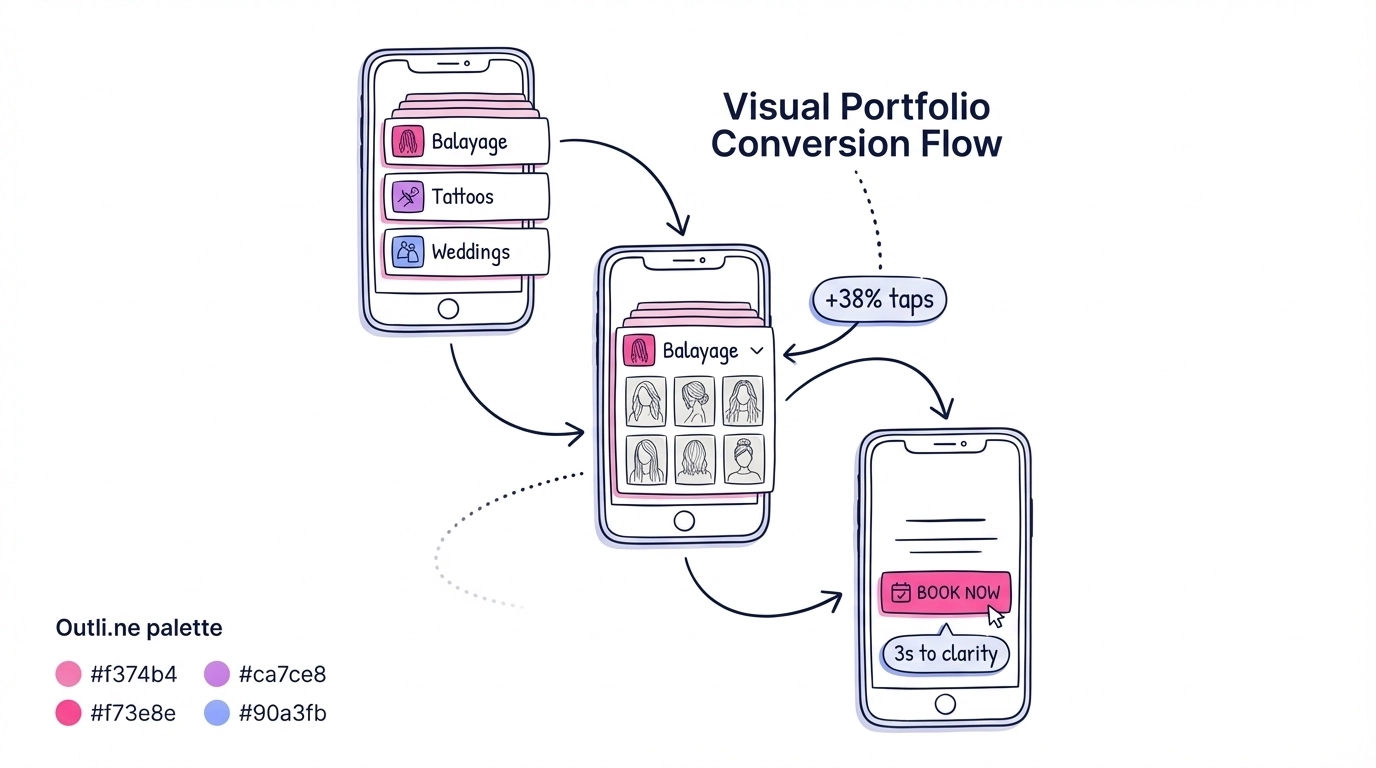
Each section needs 3-8 strong examples. Not 20 mediocre ones. Quality over quantity always wins. Choose pieces that show range within each specialty while maintaining consistent quality standards.
Include process glimpses, not just final results. Clients want to see how you work. Show the before-and-after, the behind-the-scenes setup shot, the mood board that inspired the final piece. This builds trust and helps clients visualize working with you.
Make case studies scannable. Use this simple formula: Problem → Solution → Results. "Sarah needed headshots that worked for both corporate and creative industries. I created a versatile shooting plan with wardrobe changes. She landed two new clients within a week." Three sentences, clear value.
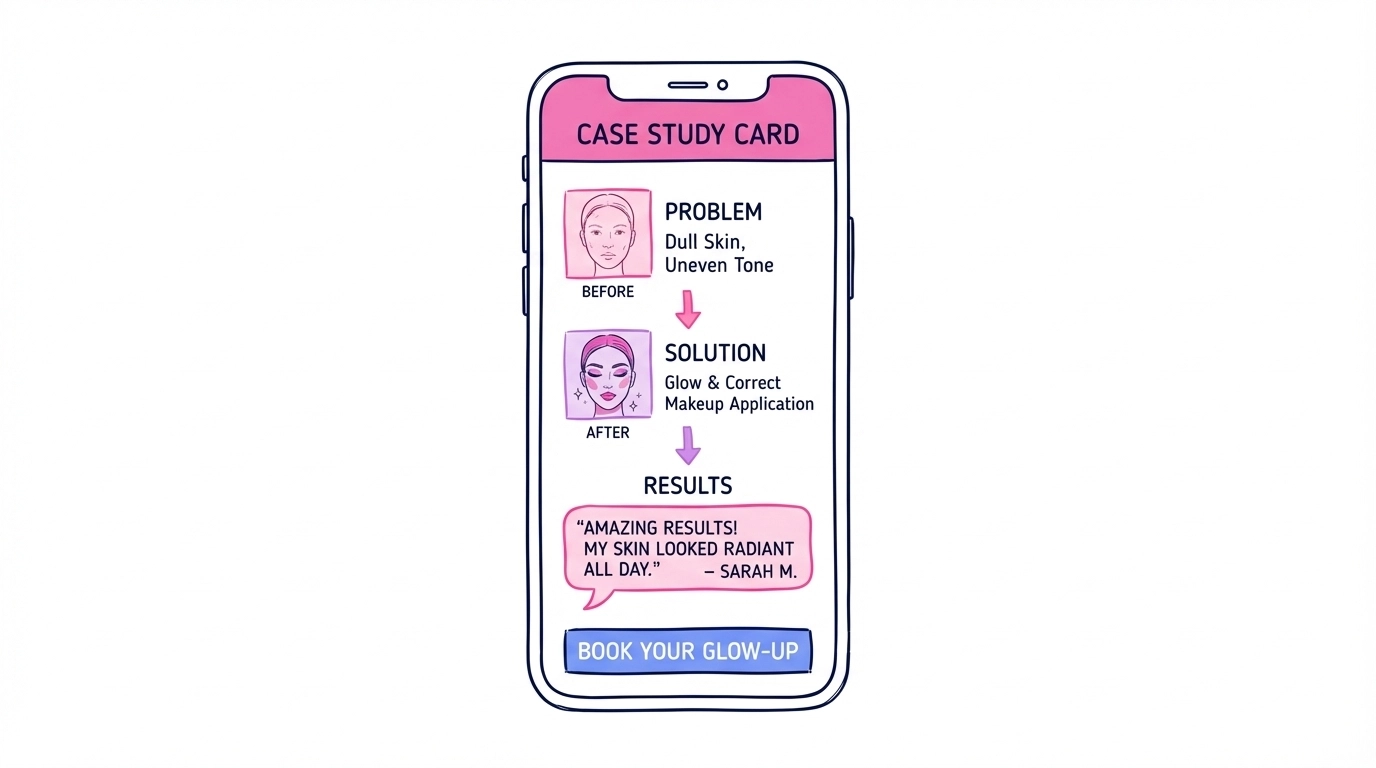
Social Proof That Actually Convinces
Testimonials and results are your conversion secret weapon: but only if you use them strategically.
Lead with specific outcomes, not generic praise. Instead of "Amazing photographer!" share "Booked 3 new clients from these headshots alone - Sarah M." Numbers beat adjectives every single time.
Include client names and faces when possible. Anonymous reviews feel fake. Real names and photos (with permission) build instant credibility. If privacy is a concern, use first name and last initial.
Showcase measurable results. Revenue increases, booking rates, social media growth, competition wins: whatever metrics matter in your industry. "Increased Instagram engagement 340%" hits harder than "Great social media content."
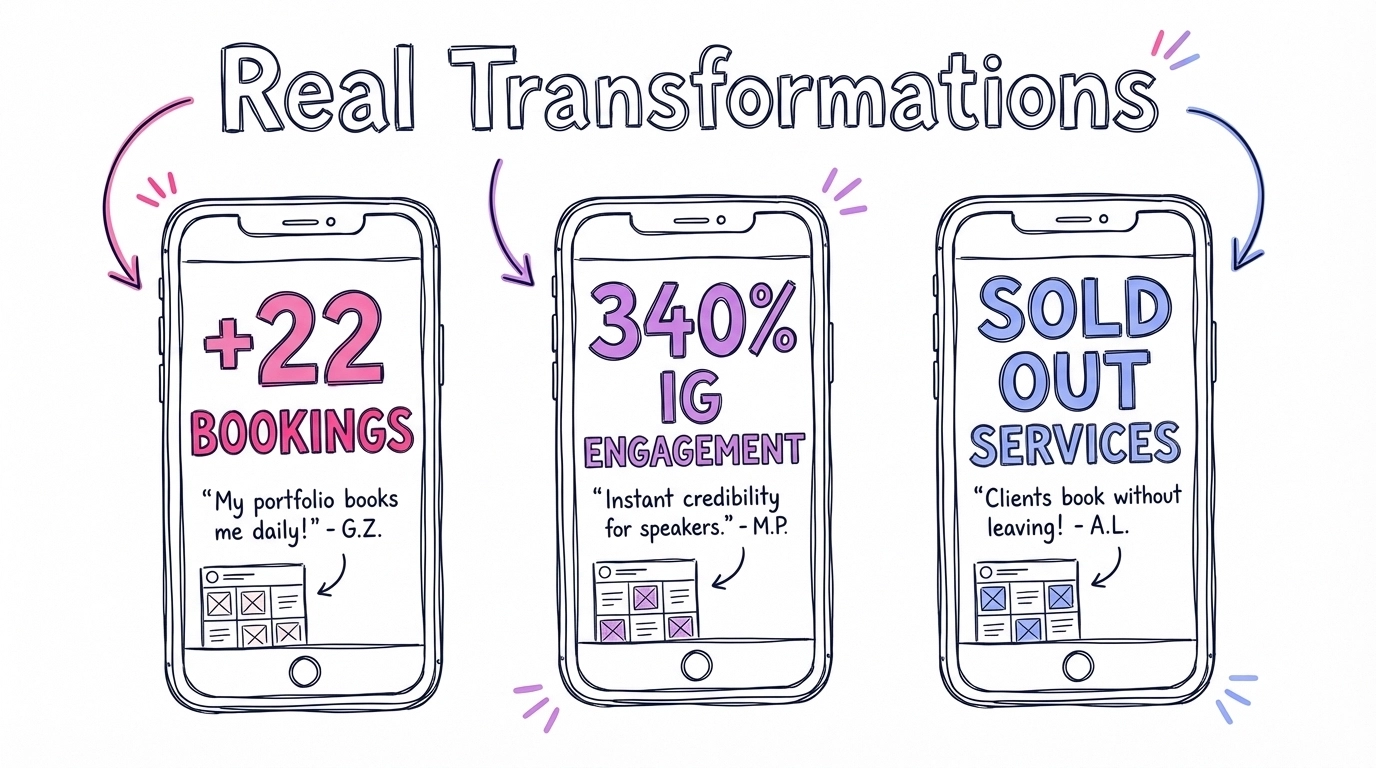
Mix written testimonials with visual proof. Screenshots of happy client messages, before-and-after comparisons, press mentions, award certificates. Variety keeps this section engaging while reinforcing your expertise from multiple angles.
The About Section: Personal but Professional
This section is optional, but when done right, it's the trust-builder that turns browsers into bookers.
Keep it personal but relevant. Share why you do what you do, not just how long you've been doing it. "I started wedding photography after my own photographer missed our first kiss" tells a story that connects. "15 years of experience" is just a number.
Include your process or philosophy. Clients want to know what working with you feels like. "I believe every client deserves to feel confident and comfortable during their shoot" sets expectations and attracts your ideal clients.
End with credentials that matter. Featured publications, notable clients, awards, or training: but only if they're relevant to your target market. Corporate headshot clients care about business publications. Wedding clients care about style magazines.
The Final Swipe: Your Call-to-Action That Converts
This is where browsers become bookers: or disappear forever. Every element here needs to remove friction and encourage action.
Make booking obvious and easy. Your primary call-to-action should be impossible to miss. Use action words: "Book Your Session," "Get Your Quote," "Reserve Your Date." Avoid weak language like "Contact" or "Learn More."
Offer multiple contact options. Some clients prefer email, others want to text, some like phone calls. Include your preferred method prominently, but give options. Link to your booking calendar, contact form, or phone number: whatever works best for your process.
Include your existing link hub in the footer. Many creators already have Linktree, Beacons, or similar tools set up. Your swipeable portfolio becomes the visual showcase that sits above your link collection, giving clients the full picture before they dive into booking details.
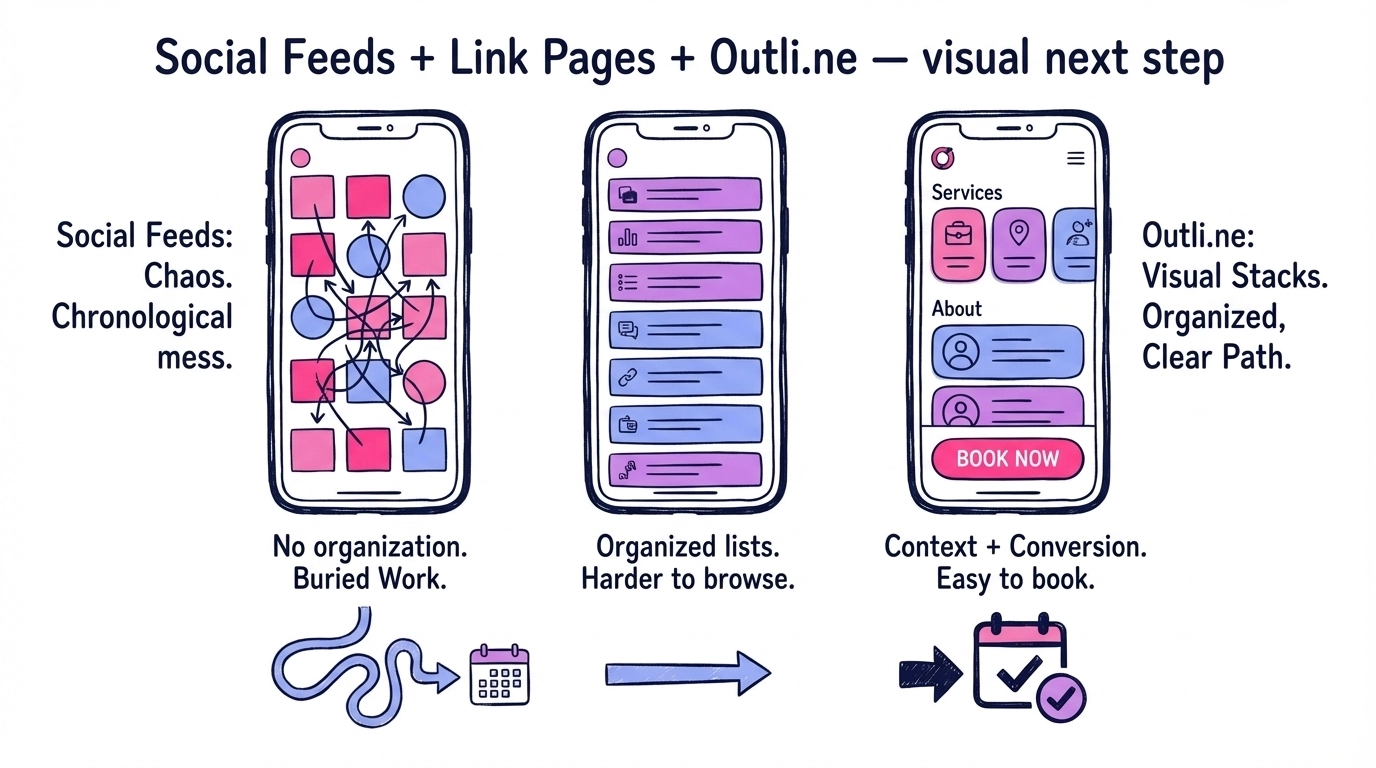
Set clear expectations. Include your response time, booking process, or next steps. "I'll respond within 24 hours with pricing and availability" reduces client anxiety and sets professional boundaries.
The Five Principles That Make Swipeable Portfolios Convert
1. Mobile-First Design Over 70% of portfolio views happen on phones. Design for thumbs, not cursors. Large, tappable navigation. Images that look stunning on small screens. Text that's readable without zooming.
2. Visual-Heavy Content Your work should do most of the talking. Use images and video as primary content, with text as support. Potential clients are visual people: show, don't tell.
3. Results-Oriented Structure Every section should answer "What's in this for me?" Lead with benefits and outcomes, not just features and services. Transform your portfolio from a gallery into a sales tool.
4. Concise, Scannable Content Attention spans are short. Make everything skimmable in under 30 seconds. Use bullet points, short paragraphs, and clear headlines. Remove anything that doesn't directly support the goal of getting booked.
5. Specialized Organization Generic portfolios get generic results. Organize everything around your target client's specific needs. Make it effortless for them to find exactly what they're looking for and imagine working with you.
Making the Switch: Your Next Steps
Building a swipeable portfolio isn't about fancy technology: it's about smart organization and mobile-first thinking. Start by auditing your current portfolio against these principles. Which sections are missing? Where are potential clients getting stuck? What would make booking you feel effortless?
The goal isn't perfection: it's conversion. Every swipe should move potential clients closer to booking. Every section should build trust and remove friction. Every image should showcase not just your skill, but the transformation you create for clients.
Your portfolio isn't just a collection of your work. It's your most powerful sales tool, working 24/7 to convert browsers into paying clients. Make every swipe count.
Ready to Transform Your Online Presence?
Join thousands of creative professionals who've switched to Outli.ne and started booking more clients.
Get Started FreeEnjoyed this article?
Share it with others who might find it helpful
More in Profile Optimization

The Artist Portfolio Builder Guide: 7 Must-Have Features That Actually Matter in 2025
Your portfolio builder is either booking you clients or losing them in the first 3 seconds. Learn how to level up your portfolio and start booking clients

Linktree vs Portfolio Websites: Which Actually Books You More Clients?
Every day, thousands of talented photographers, tattoo artists, and makeup artists send potential clients to a Linktree page or a portfolio. Learn what books!

Simplifying Your Site: Why Less is More for Visual Creators
The most successful creatives aren't drowning in options: they're focused on sending clients a clean page with their best work and a clear CTA. Learn how!